

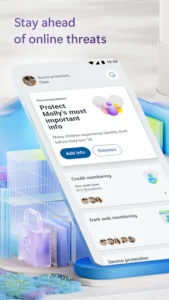
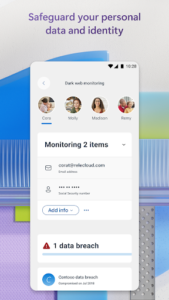
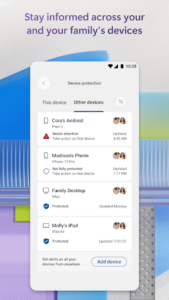
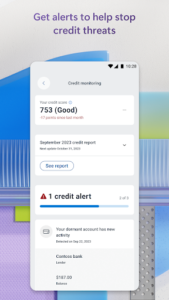
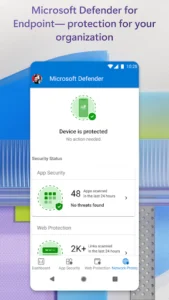
Microsoft Defender: Antivirus is an online security app designed to help safeguard your digital life and work. It provides an all-in-one solution to protect your personal identity, privacy, and devices against malicious threats. Users can manage their security in one central place, receiving timely alerts and recommended actions across multiple devices. A distinctive aspect is its comprehensive identity protection, which includes continuous monitoring, access to identity theft restoration experts, and identity insurance coverage for eligible users.
Unified Security Management
The app centralizes security management, allowing users to monitor the security status of their devices and personal identity, including those of family members. It performs antivirus scanning and continuous threat monitoring, providing timely alerts and recommended actions across all connected devices. This approach aims to protect against various malicious threats while offering expert guidance.
Advanced Identity Safeguards
A core capability of Microsoft Defender is safeguarding personal and family identity. This includes continuous monitoring of personal identity and credit for users in the United States and its territories. In the event of identity theft, users can access an identity theft restoration expert anytime, day or night, for assistance. The app also provides identity insurance coverage, offering up to USD1 million to help cover restoration fees and up to USD100,000 to recover lost funds. For family organizers, a one-time parent or legal guardian verification is required to receive dark web threat alert details for children. If the organizer’s family member is under 13, consent is not required to create and/or monitor a child’s identity.
Proactive Device Defense
The app offers trusted protection for your devices by continuously scanning for new and existing threats. It alerts users when malicious apps are detected and guides them through steps to remove these threats. A key feature is its ability to scan for harmful links proactively, blocking access to malicious web pages before a user clicks on them, across various communication channels like SMS, messaging apps, browsers, and email. This function utilizes accessibility services to operate. It’s important to note that Microsoft Defender does not replace existing malware protection on iOS and Windows devices.
Access and Eligibility
To utilize Microsoft Defender for individuals, a Microsoft 365 Personal or Family subscription is necessary, and users must sign in with their Microsoft account. For those associated with a business or organization, logging in with a work or school email is required, provided the entity holds a valid license or subscription. It’s important to note that the app is currently not available in certain Microsoft 365 Personal or Family regions, and specific features, such as identity and credit monitoring, are limited to the United States and its territories. Overall app and feature availability may vary further by device, language, and region.













Write a review